 Windows app · free
The Windows calculator, your way
Standard and scientific calculator that works just like the one in Windows — with 26 built-in themes and an editor to design your own: colors, gradients, fonts, round keys, neon glow and more.
What it does
Everything you expect from the Windows calculator, plus a look you choose.
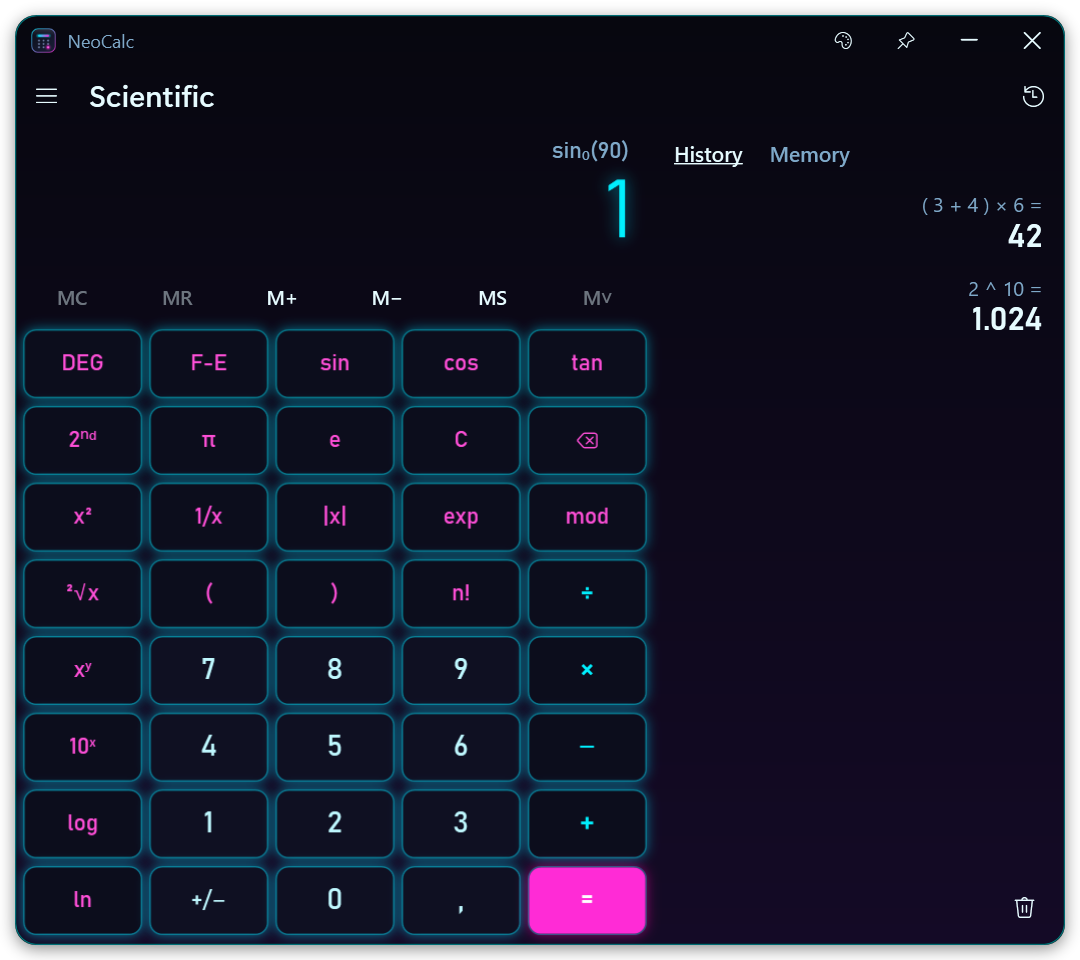
Standard & scientific
Behaves like Windows: chained operations, repeat with =, the same %. Scientific mode adds precedence, parentheses, trigonometry, logs, powers, roots and n!.
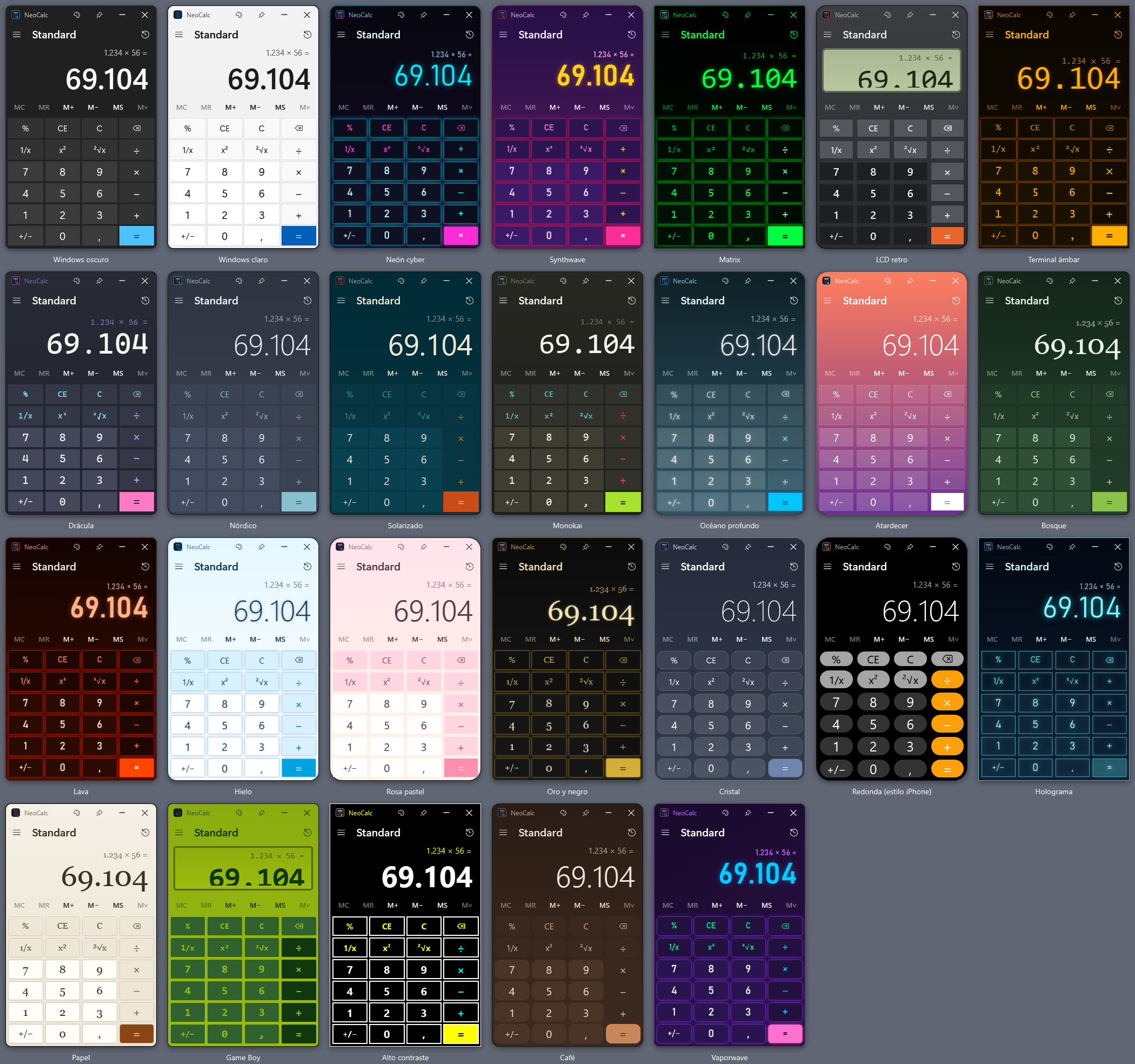
26 themes
Windows dark and light, Cyber neon, Synthwave, Matrix, Retro LCD, Dracula, Game Boy, Hologram, Glass, iPhone-style round keys and many more.
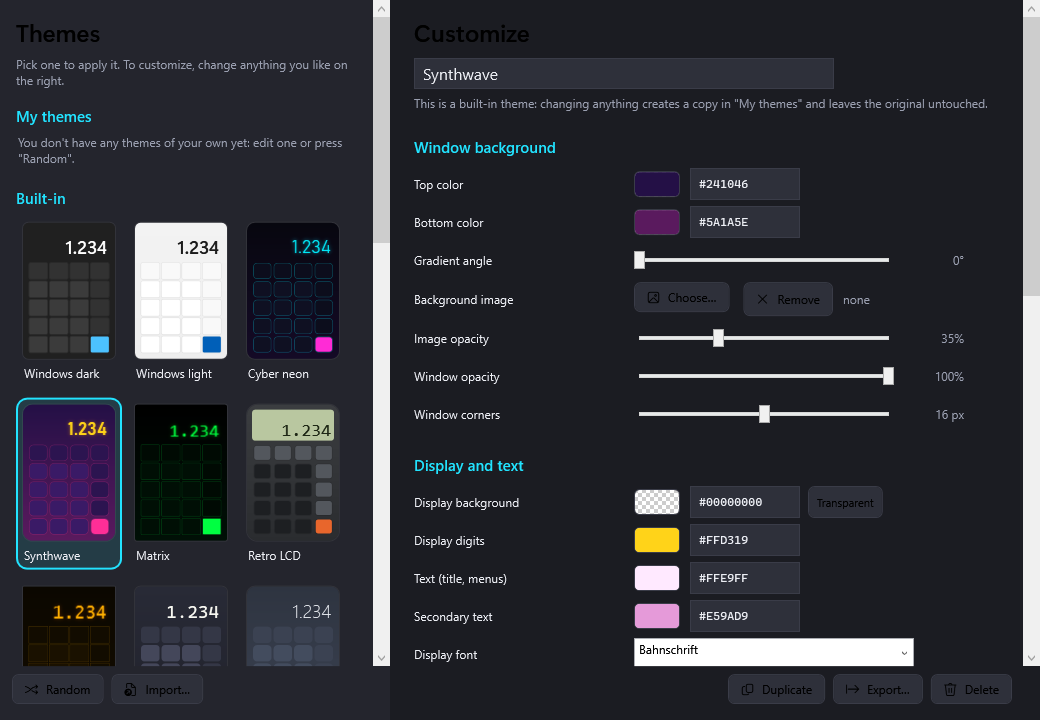
Theme editor
Change every color, gradient, background image, font, corner, spacing and glow with a live preview. Or press Random for a surprise.
History & memory
MC, MR, M+, M−, MS and a full history — beside the keypad on a wide window, on top of it on a narrow one.
Always on top
Keep it above other windows while you work, and pin it to the taskbar with an icon in your theme's colors.
Share your themes
Export a theme to a small .neocalc.json file and import themes made by others.
Make it yours
Pick a built-in theme and tweak it — your changes go into a copy under “My themes”, so the originals are always there.
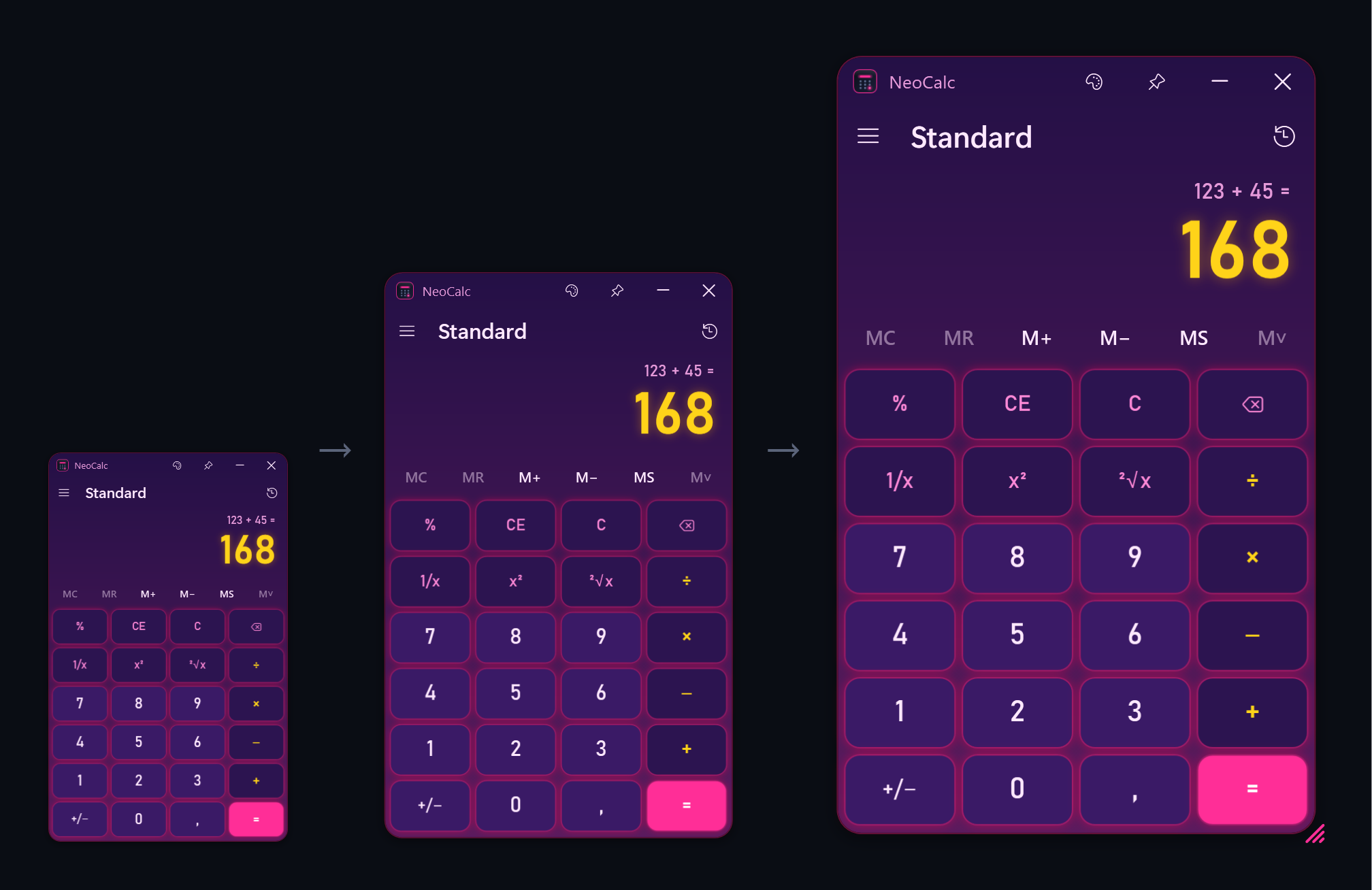
Any size you like
Drag the corner handle (or any edge) and the whole calculator grows or shrinks — keys, digits and text, from half its normal size up to full screen. NeoCalc remembers it: next time it opens at the last size you left it. If you want to go back, use Reset size in the ☰ menu.
Keyboard shortcuts
| Alt+1 · Alt+2 | Standard · Scientific |
| Ctrl+T · Ctrl+H | Themes · History |
| Ctrl+M / R / P / Q / L | MS · MR · M+ · M− · MC |
| Esc · Del · Backspace | C · CE · delete digit |
| F9 · R · @ · Q | +/− · 1/x · square root · x² |
| Ctrl+C · Ctrl+V | Copy · Paste |
Get NeoCalc
Download NeoCalc.exe, save it anywhere and open it. No installation, nothing running in the background. The source code is on GitHub and builds with the C# compiler included in Windows.
The app isn't code-signed yet, so Windows SmartScreen may warn you the first time: click “More info → Run anyway”. NeoCalc makes no internet connections and collects no data; settings stay in %APPDATA%\NeoCalc on your computer.